Efficiently Resetting Multiple User Passwords in WordPress

thumb_up 1  ·  sell WordPress mass user password reset, Resetting multiple user passwords, Bulk password reset in WordPress

How to perform a Mass User Password Reset in WordPress? [STEP BY STEP]☑️

Here in this article we will learn how to perform a Mass user Password reset in WordPress. When your site gets hacked, it’s advisable to change the password of every user. If you have a lot of users on the site, it can be more terrible if you don’t know how to perform a mass user password reset.


Follow the steps to perform a Mass User Password Reset in WordPress:

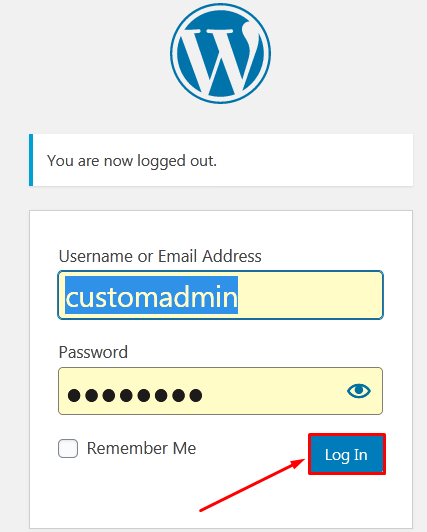
Step::1 Login to your WordPress admin Dashboard
 

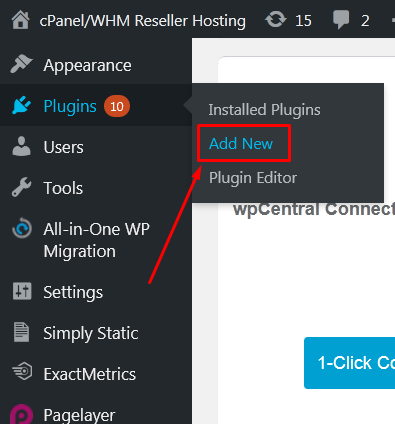
Step::2 Go to Plugins section and click on “Add New” option
 

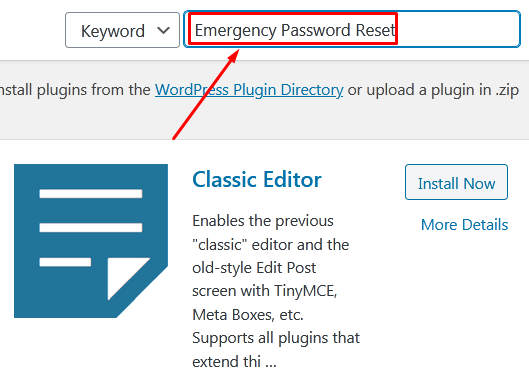
Step::3 Search for Emergency Password Reset plugin in the available search box
 

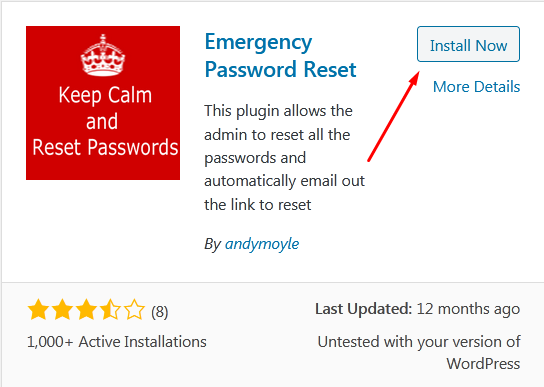
Step::4 Click on Install Now button
 

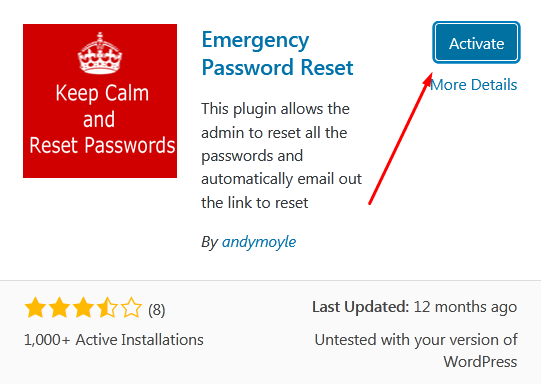
Step::5 Once installed, click on the Activate button
 

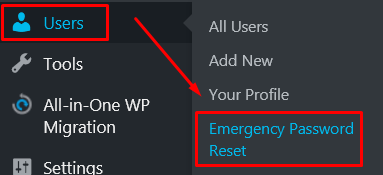
Step::6 Now go to Users section and click on Emergency Password Reset option
 

Step::7 To do the mass user password reset. Click the “Reset all passwords” button.
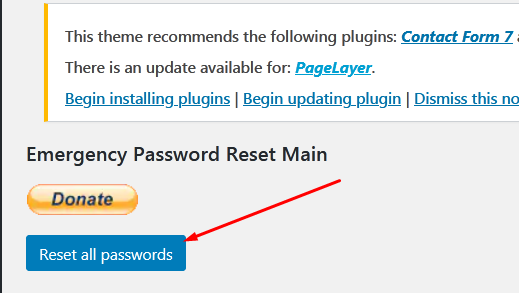
 

Once you click on Reset all Passwords, WordPress logout all users and will send a password reset email to all of your registered users. This includes the admin account which initiated the reset.

Thanks for Reading this article 


The End! should you have any inquiries, we encourage you to reach out to the Vercaa Support Center without hesitation.

Was this answer helpful?

Related Articles

description

How to Resolve the Issue of "Missing Add New Plugin Menu" in WordPress?

Here, in this tutorial we will discuss the procedure to fix an issue called “add new Plugin Menu not showing” in WordPress. This issue…

arrow_forward
description

How to Incorporate a YouTube Subscribe Button into Your WordPress Website?

Here, in this tutorial we will discuss the procedure to add YouTube subscribe button to your WordPress website. This can be done by any of…

arrow_forward
description

How to Deactivate WordPress Plugins Using the Database?

We have shared articles managing WordPress website and its data. One of the most important feature of WordPress is Plugins that allows user…

arrow_forward
description

How to Integrate a Currency Converter into Your WordPress Website?

The diverse features of WordPress allows user to manage the website presentation in their own choice. WordPress has themes for blogging…

arrow_forward
description

Guidelines for Installing and Setting Up the WordPress Simple PayPal Shopping Cart Plugin

Features in WordPress allows user to improve and manage the presentation of website. We have shared multiple articles related to WordPress…

arrow_forward
arrow_back « Back