How to properly merge WordPress sites while keeping your SEO? [STEP BY STEP]☑️
Today I will demonstrate how you can merge two WordPress sites together using the provided tools WordPress offers. They are all built in and no additional plugins are required. It is very important to backup both of your websites before you begin. This will ensure that if a mistake is made or you simply do not like the merge, that you can revert back to both sites as they were.
It is easy to merge WordPress sites together and you can export all of their content into one site. This will also keep your search engine optimization or SEO intact.
Follow the steps to merge your WordPress content from one blog to another:
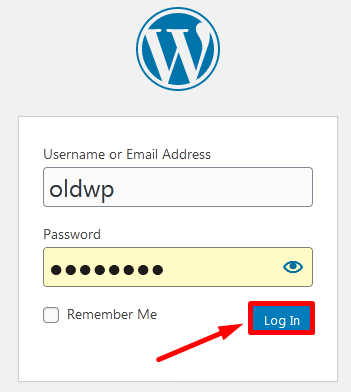
Step::1 First, you need to log into your old site’s WordPress dashboard.
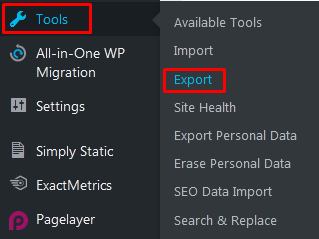
Step::2 From there, go to the Tools section and click, “Export.”
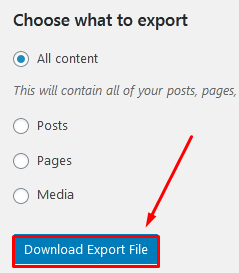
Step::3 In the Export screen, you’ll have several options available like All content, Posts, Pages & Media.
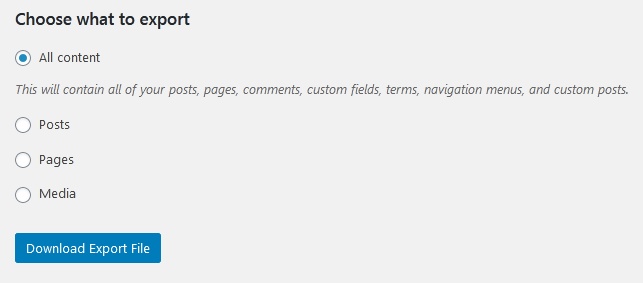
Here, I am showing you how to move All content.
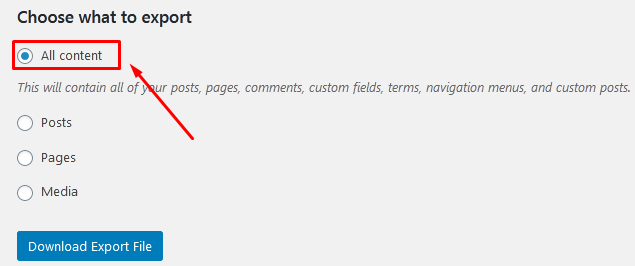
Step::4 Click the “Download Export File” button on the bottom.
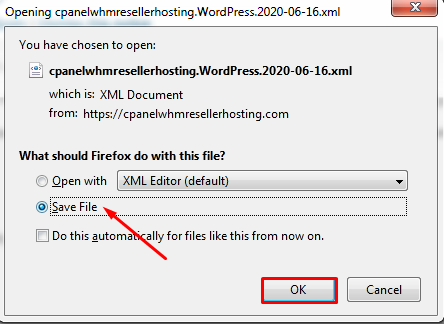
Step::5 Now click on the Save File option to save the xml file to your desktop/Laptop Once the file has been saved, you can continue on to the next step.
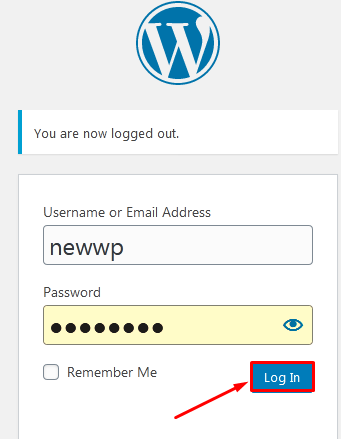
Step::6 Now log into the new WordPress website’s dashboard
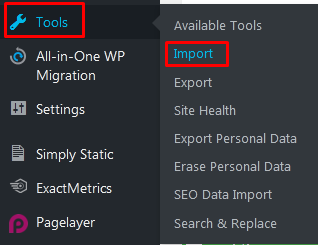
Step::7 Go to the Tools section and click, “Import.”
Step::8 In the Import screen, you’ll see a variety of options for blog types. Since we are moving content from one WordPress site to another, we want to use “WordPress.”
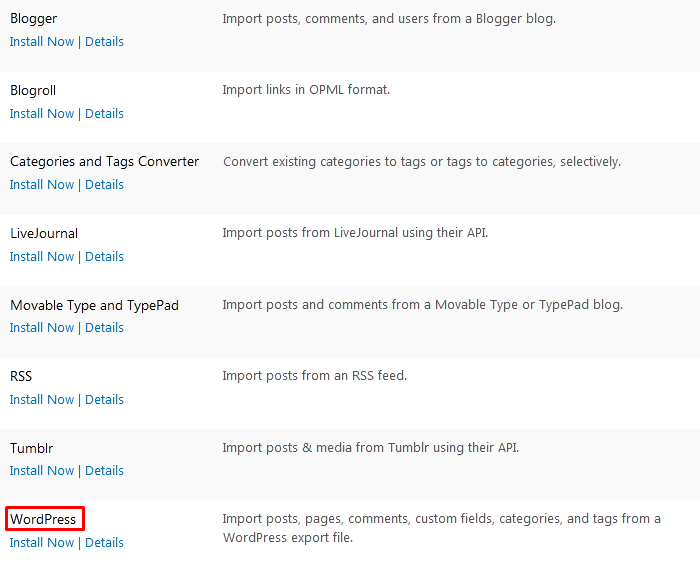
Step::9 Directly under “WordPress,” you’ll see a link “Install Now,” click on it to install WorPress module

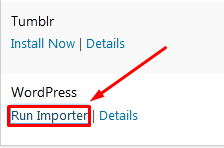
Step::10 Now Click on Run Importer.
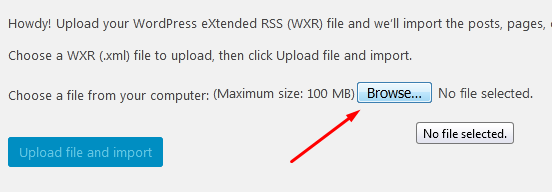
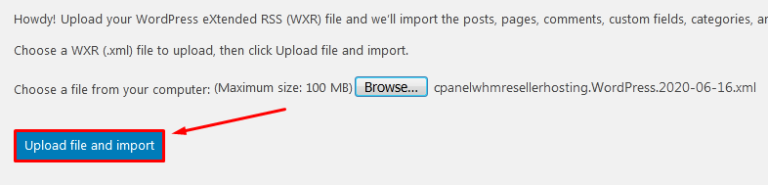
Step::11 Next click on the Browse button
Step::12 Upload the xml file which you downloaded earlier
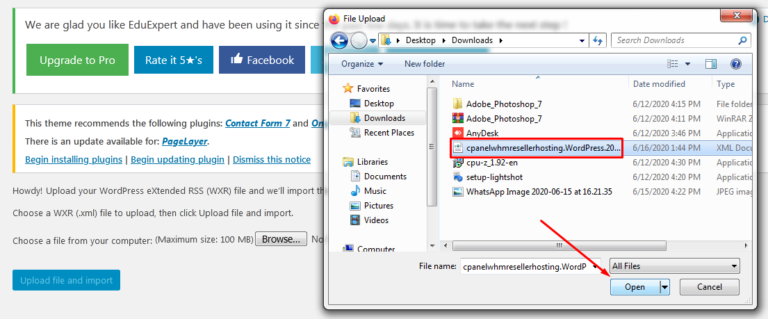
Step::13 click on Upload File and Import
Step::14 In the next screen, you’ll be able to assign authors to the old content. You can import the old author directly, create a new user login name or assign the posts to an existing user on the new site.
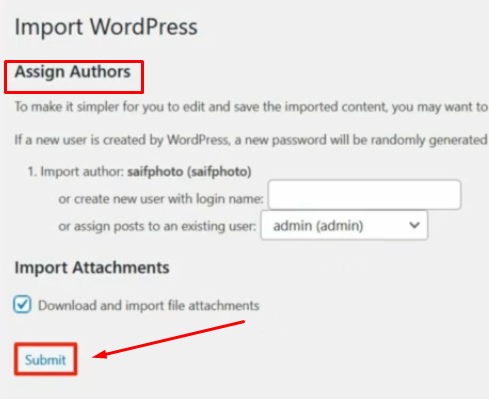
Step::15 Finally click on the Submit button.
Congratulations you have successfully merged your two WordPress websites.
Now that you have imported your old site into your new one it is important to redirect visitors from the old site to the new one.It is very important to update your URLs as fast as possible to keep you SEO working smoothly. For SEO Redirection you can install any plugin as per your requirement. There are many SEO redirection plugins, you can use any one of them.
In this way you can merge your WordPress sites while keeping the SEO .
Thanks for Reading this article
The End! should you have any inquiries, we encourage you to reach out to the Vercaa Support Center without hesitation.
