How to Add Google Analytics to your WordPress website? [STEP BY STEP]☑️
Here in this documentation, we will explain to you how to add Google Analytics to your WordPress website. The best way to know your audience is through your traffic stats, and this is what Google Analytics provides you without any cost.
Follow the steps to add Google Analytics to your WordPress website:
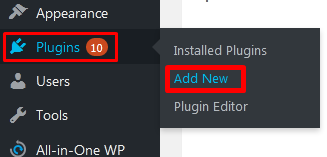
Step::1 Login to your WordPress dashboard and then go to the Plugins section and click on Add New option
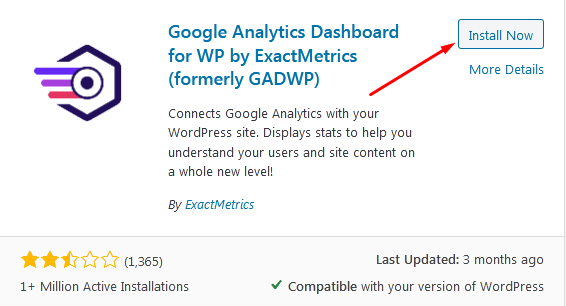
Step::2 Search for Google Analytic GADWP in the search box and click on Install Now button
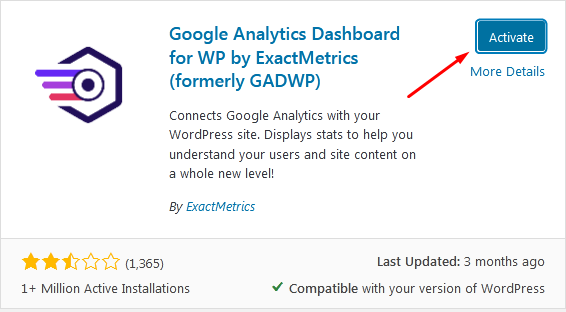
Step::3 Now Click on Activate button
Step::4 Next go to the Installed Plugins and click over Launch Setup Wizard

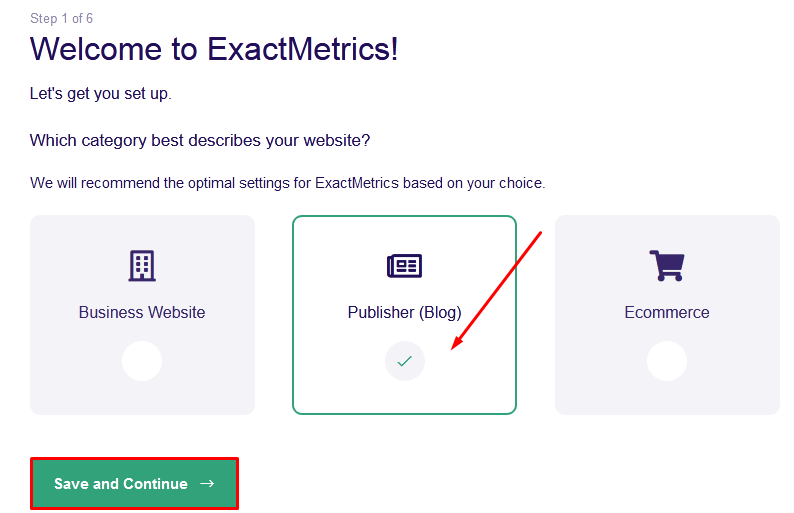
Step::5 Now on this screen click over Publisher and tap on Save and Continue
Step::6 Next click over Connect Exact Metrics.
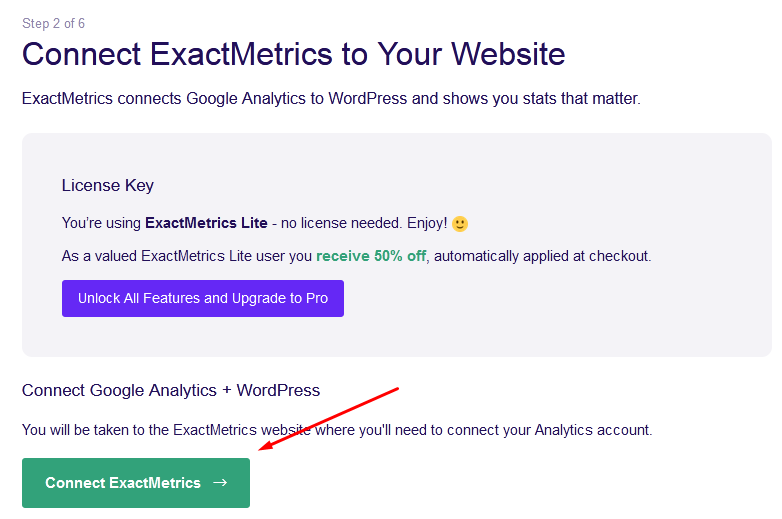
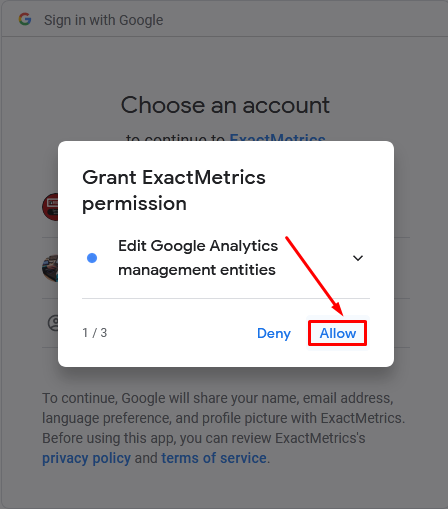
Now this will ask you to login into your Google account.

Step::7 Grant Exact Metrics permission and click on Allow
Step::8 In the next screen that appears, confirm all your choices and then click over Allow button
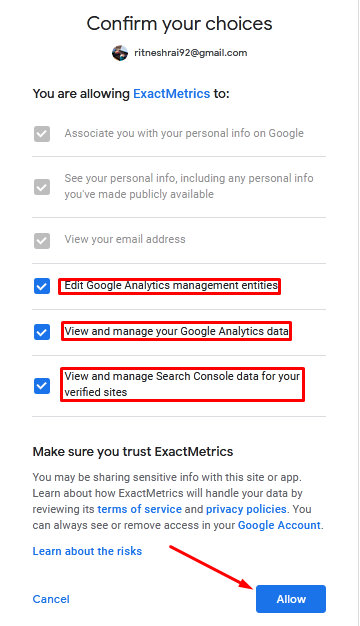
Step::9 Now you can complete this installation process by clicking over the Complete Connection tab In this way your Google Analytics will be added and this will bring you into the Final step

Step::10 Once you review all the information, click over Save and Continue.
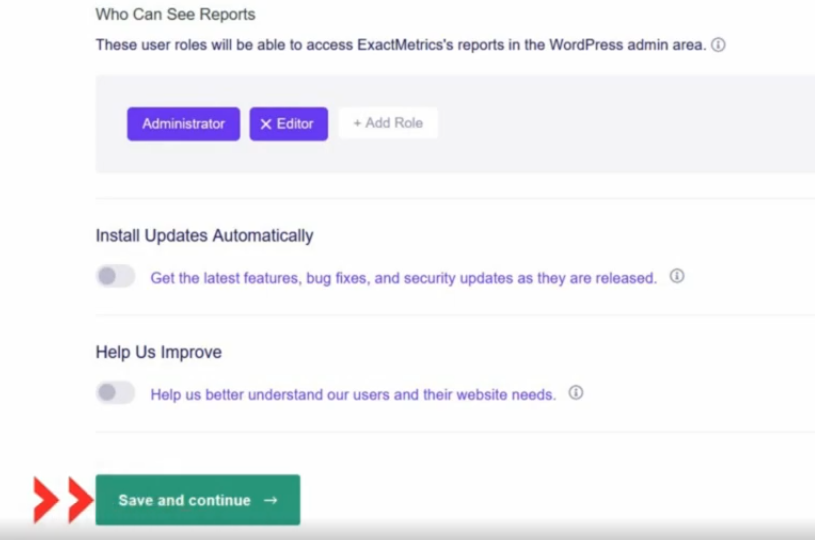
Step::11 Finally click over Finish Setup & Exit Wizard.
Now your WordPress website’s overview report is completely visible inside that Exact Metrics plugin.
Congratulations!! You’ve successfully added Google Analytics to WordPress using Exact Metrics WP Plugin
Thanks for reading this article
The End! should you have any inquiries, we encourage you to reach out to the Vercaa Support Center without hesitation.
