This is a new way I found to reset ssh port from WHM control panel if you ever lost SSH access because you forgot what is the port you are running, or something got screwed up in the middle of your sshd configuration.
On Linux servers the default SSH port is 22, this also applies to cPanel based servers. This ssh port can be changed by editing sshd_config file, usually located at:
/etc/ssh/sshd_config
How can I reset SSH port from WHM?
What happens if you change the ssh port and then forgot what was the port number? You won’t be able to access your SSH server anymore.
But don’t worry, there are a few things you can do to fix this. cPanel developers have built a cool ssh port reset script that can be used to you are able to reset SSH port from WHM control panel.
This script is called SSH Auto Fixer, and is available from a single URL after you login to the WHM interface. Let’s see what are the necessary steps to reset SSH port from WHM root interface:
1. Log into WHM control panel as root.
2. After that, use the following URL on your browser to reset your SSH confiugration to the default one:
http://your.server.ip:2086/scripts2/doautofixer?autofix=safesshrestart
Make sure you replace “your.server.ip” with the IP address of your real server, you can also use the hostname of your server, as you see below:
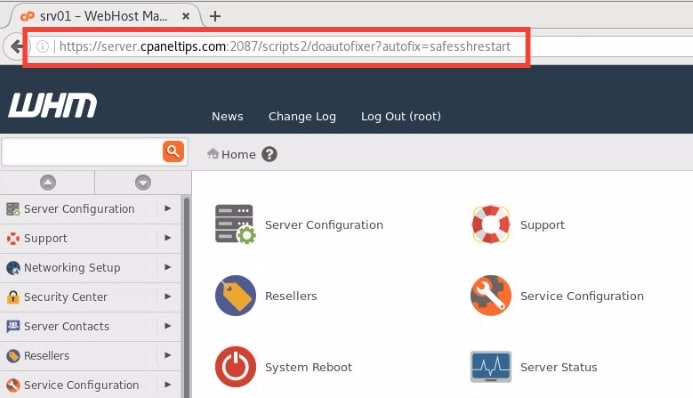 Fig. 01. Process of how to reset ssh port from WHM interface using ssh autofixer script
The result will be that your sshd daemon will now be running on the default port (22). At this point you are ready to login again using SSH and start editing your SSHD configuration.
What happens if I already use port 22 for another service?
If port 22 is already used by another app or service, the script will open another port different than 22.
Now you know how to reset SSH port from WHM control panel in case you’ve been locked out of your server.
The End! should you have any inquiries, we encourage you to reach out to the Vercaa Support Center without hesitation.
