#1. What is RAW ACCESS?
RAW ACCESS is an interface inside cPanel that allows user to check access logs in simple readable format which does not include any graphical representation. This feature allows user to access archive logs as well which can be downloaded and analyzed to check the activities of the website.
#2. How to find and check access logs of website?
Now, we will discuss the procedure to find and check access logs of website.
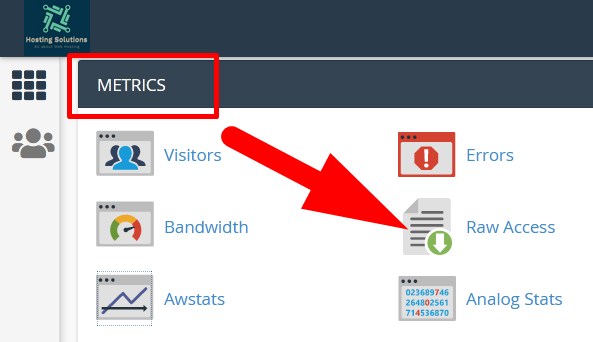
- Login to cPanel and scroll down to METRICS section.
- Select Raw Access from the list.
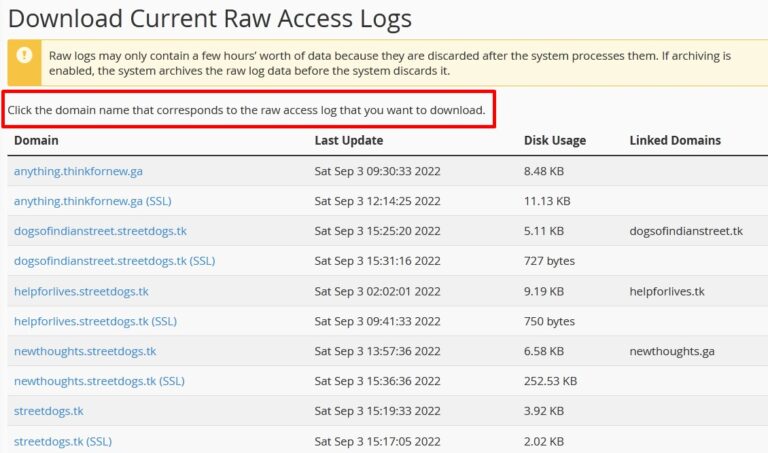
You will be directed to the next page where you will get detailed information of all your domains which you can download.
Then scroll down to Archived Raw Logs to download the previous access logs of the related domain.
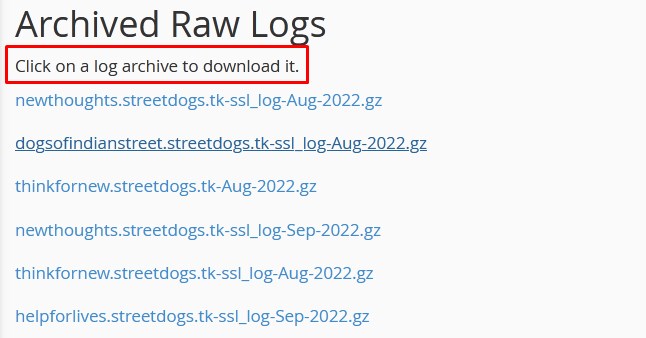
- Click over the log file and download to check.
- Then extract the downloaded file and open it with the modern text editor.
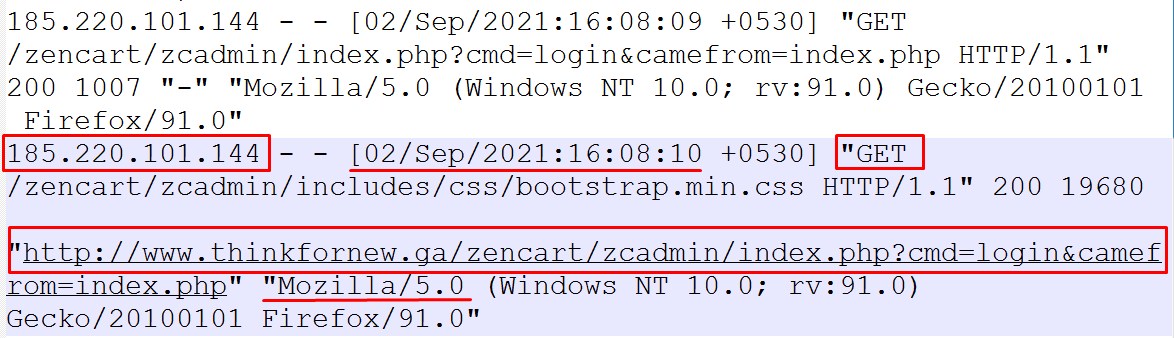
you will get following information. Refer to the above mentioned image.
- User Agent, i.e which browser has been used to access the website.
- IP ADDRESS, i.e, IP Address from which the website has been accessed. (In the above mentioned image refer to the marked IP Address)
- Type of HTTP Request, i.e, request send by the visitor’s browser (GET or POST)
- Status of Request, i.e, if visitor has faced any web page related error (eg. 404)
- Relative Path, i.e., which URL is being visited or the query entered by the visitor. (It is marked in the above given image, i.e, thinkfornew.ga).
The End! should you have any inquiries, we encourage you to reach out to the Vercaa Support Center without hesitation.
