In this chapter, let us study how to Modify content in Drupal. You can modify any of the previously used content type's content such as Articles, Basic page and Blog entry.
Following are the simple steps used for modifying content.
Step 1 − Click the tab Content as shown in the following screen.

Step 2 − You will see the same screen as the following.
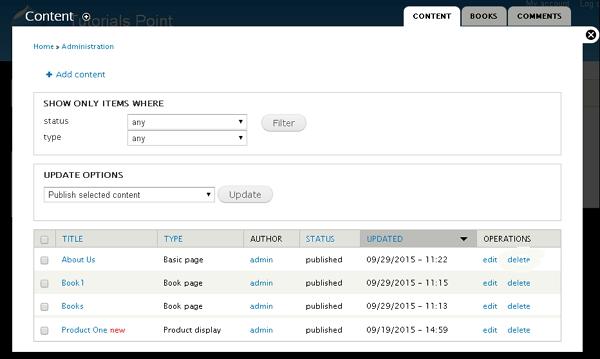
Step 3 − If you have lot of content you can use Filter to search the content that you want to modify. You can modify About us (About us page was created in the chapter Drupal - Create Content).
You can select the status of the content as shown in the following screen. Select published for About us status.
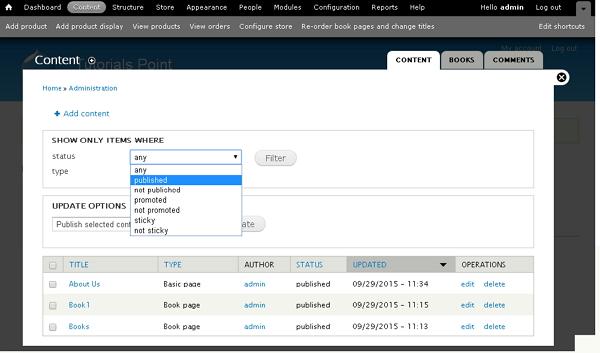
Following are the details of the fields present in the preceding screen.
-
Published − It displays all the published items.
-
Promoted − It displays the promoted items on your website.
-
Not promoted − It displays the items that not promoted on your website.
-
Sticky − It displays the sticky items on your website.
-
Not sticky − It displays the non-sticky items on your website.
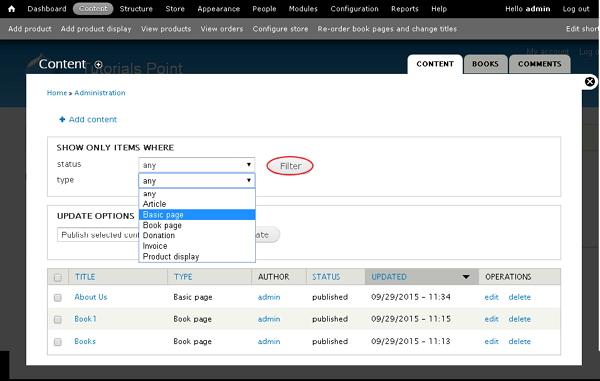
You can select type of the content like Articles, Basic page or Blog entry. Select Basic page as About us type is Basic page, and click filter as shown in the following screen.
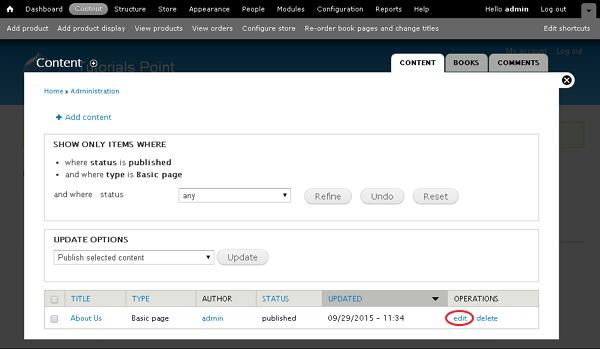
Step 4 − Now you can see the filtered content as shown in the following screen. To edit the content, click the edit link.
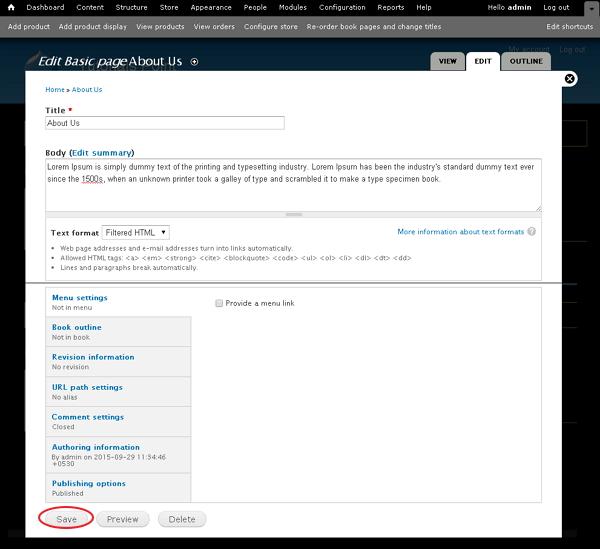
Step 5 − You can modify your content and click Save.
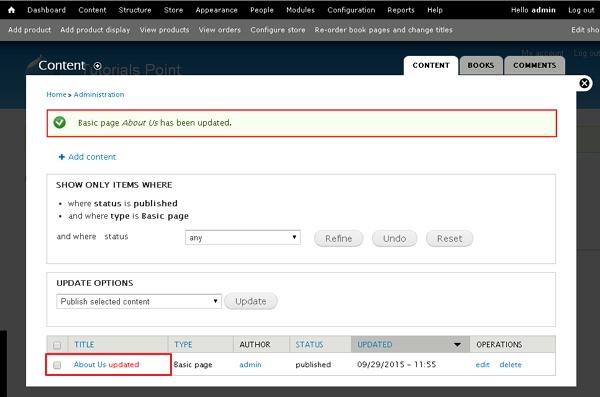
Step 6 − You will see the following screen with updated content.
The End! should you have any inquiries, we encourage you to reach out to the Vercaa Support Center without hesitation.
