In this chapter, we will study about Site Backup in Drupal. It helps in backing up the files and the database file.
Backup Files in Drupal
Backup Database in Drupal
Backup Files in Drupal
To get the backup files of Drupal, you need to install FileZilla Client on your system.
Following are the simple steps for file backup in Drupal −
Step 1 − Open the FileZilla Client as shown in the following screen.
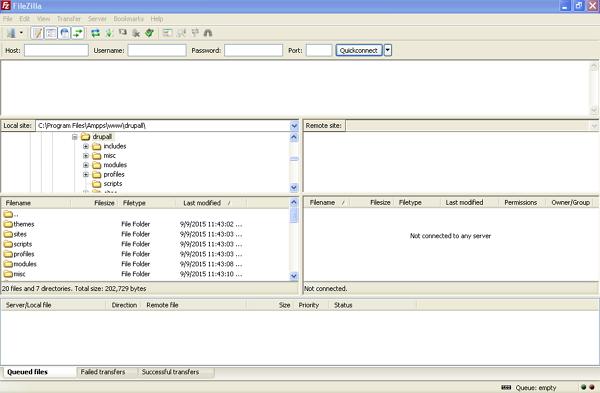
Step 2 − Enter the Host, Username, Password and Port as you have used to login to your cPanel.
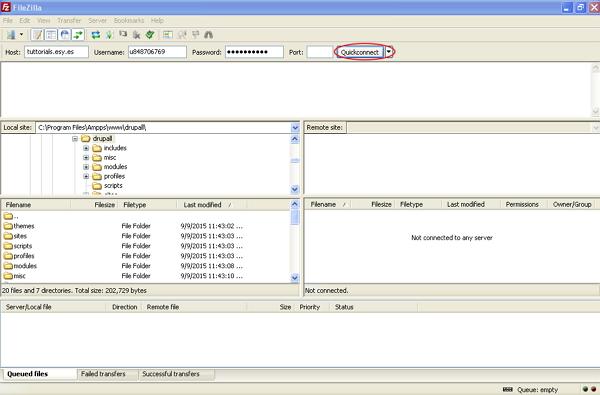
After filling all the fields, click Quickconnect button.
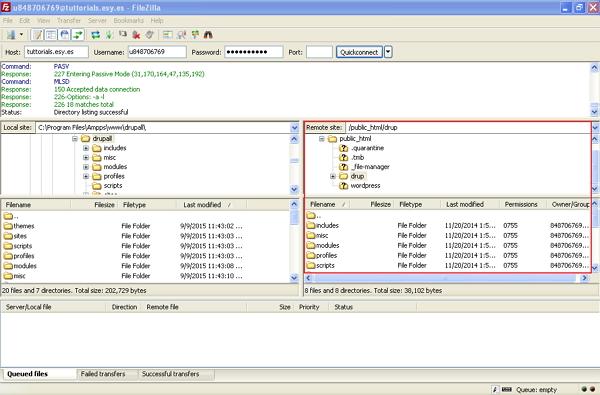
Step 3 − You will get all files and folder of your Drupal site on the right side as shown in the following screen.
Step 4 − Select all the files and folders and right click the mouse, click the Download option.
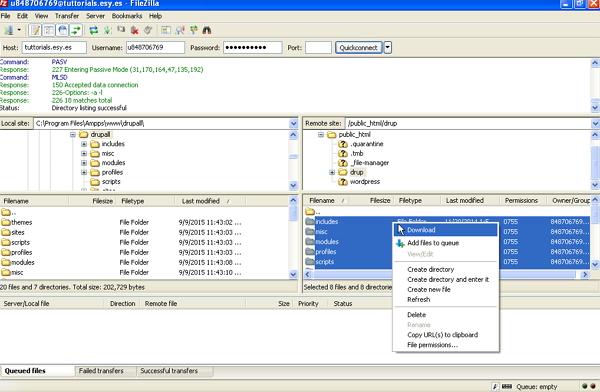
After downloading the Drupal files from cPanel, it will get saved on your system.
Backup Database in Drupal
Following are the simple steps for database backup in Drupal −
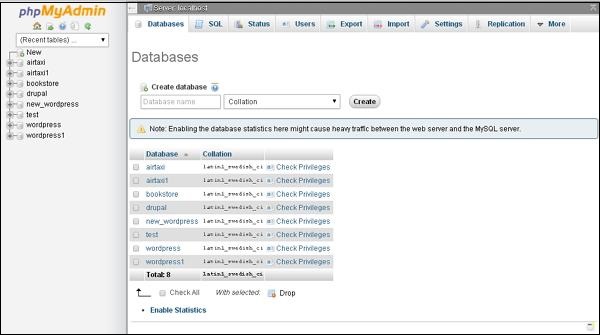
Step 1 − Type the path http://localhost/phpmyadmin in browser. You will get the following screen.
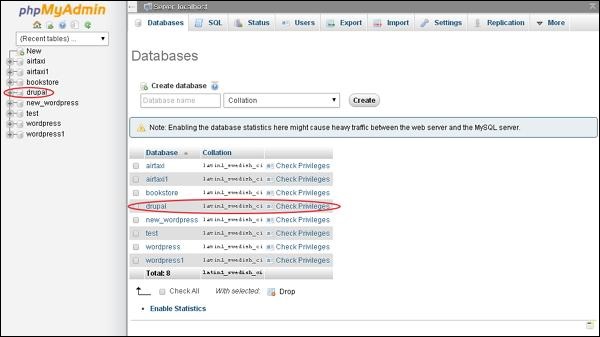
Step 2 − Click the database name drupal, which you have created for Drupal.
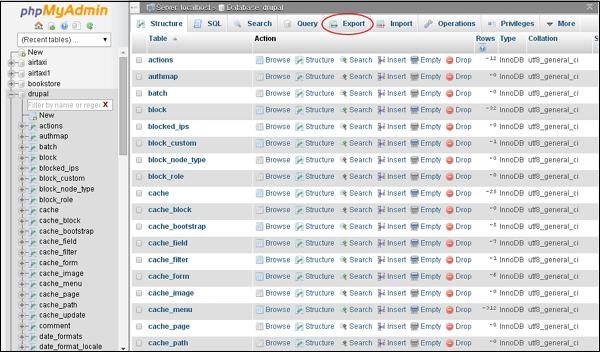
Step 3 − After clicking on database drupal, it will open the following page, click Export tab.
Step 4 − Next, you will find two methods to export the database i.e. Quick and Custom. Select any one of the methods and click the Go button.
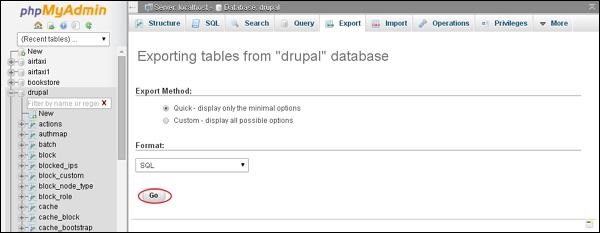
After exporting the database file, it will get saved on your system.
