Drupal allows to search for specific content on your site. You can search for both users and words on the site. We will see how to set up site search in Drupal as specified in the following steps −
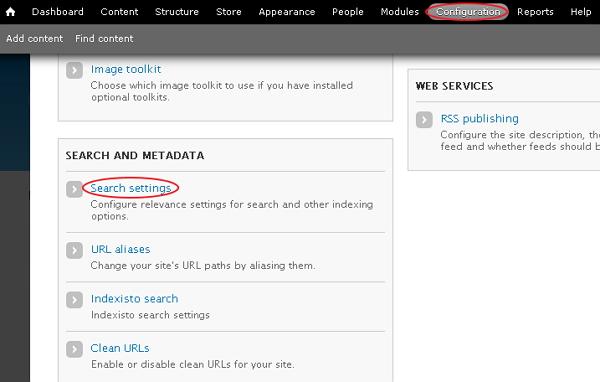
Step 1 − Go to Configuration and click the Search settings link under SEARCH AND METADATA section.
Step 2 − The search engine maintains an index of words found on your site's content. You can adjust the indexing behavior as shown in the following screen.
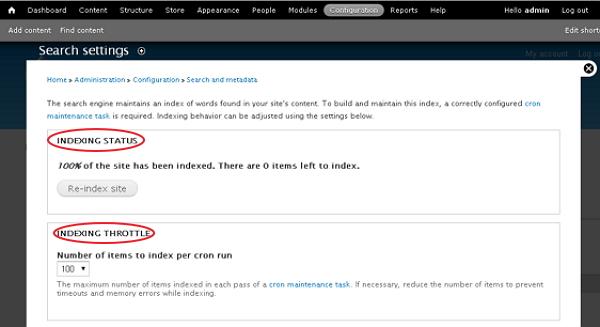
The Indexing Status section indexes the content of nodes on the site. When you click the Re-index site button, the previous content remains until cron runs and sets the number of items to index per cron run by, using the drop-down menu under the Indexing Throttle section.
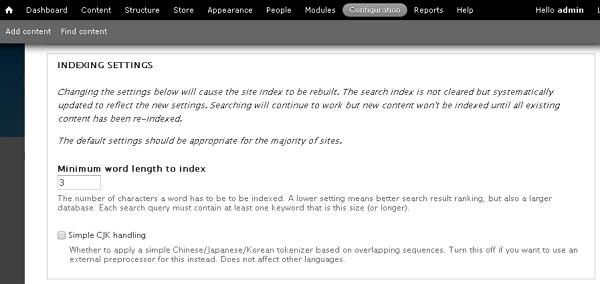
Step 3 − Next it provides settings related to the indexing which will cause the site index to be rebuilt. It updates systematically to reflect the new settings. You can set minimum word length to index, i.e., the number of characters a word has to be indexed as shown in the following screen.
Step 4 − You can choose which search modules are active from the available modules as defined in the following screen.
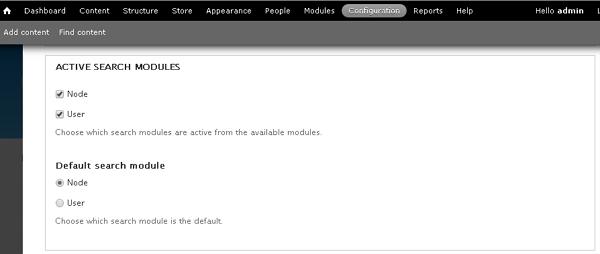
You can search for both users and words (node) by checking the required modules and set the default search module as shown in the preceding screen.
Step 5 − The last section is Content Ranking which comes with Factor and Influence columns.
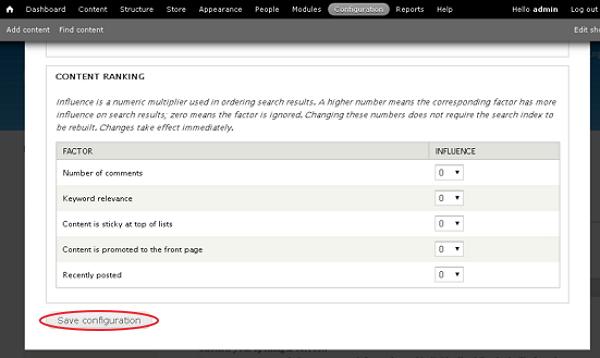
Influence is a numeric multiplier used in ordering search results. If you set higher number for a corresponding factor, it will have more influence on search results; zero means the factor is ignored. After you are done with settings, click the Save configuration button.
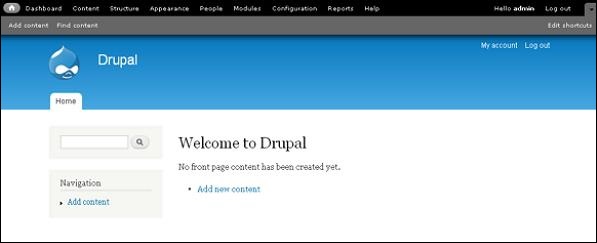
Step 6 − Now go to home page, search the content that matches for the keywords in your content in the search bar.
The End! should you have any inquiries, we encourage you to reach out to the Vercaa Support Center without hesitation.
