In this chapter, we will study about creating contact form in Drupal. Contact form is used to submit the information of user in Drupal.
Following are the steps to add Contact module.
Step 1 − Click Modules menu.

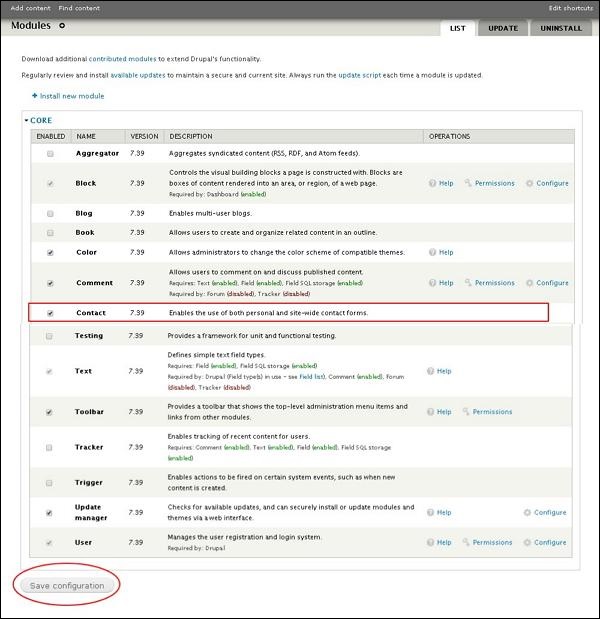
Step 2 − A list of different modules gets displayed. Enable the Contact module and click Save Configuration as shown in the following screen.
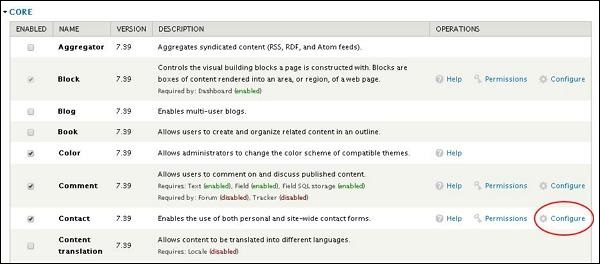
Step 3 − Go back to the contact module and click the Configure tab as shown in the following screen.
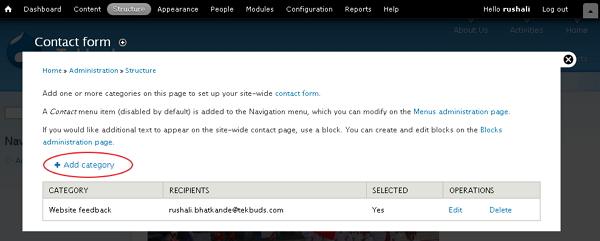
Step 4 − Now you can view the information of all the categories and you can also add extra contacts. Click Add Category.
Step 5 − The contact form gets displayed as shown in the following screen.
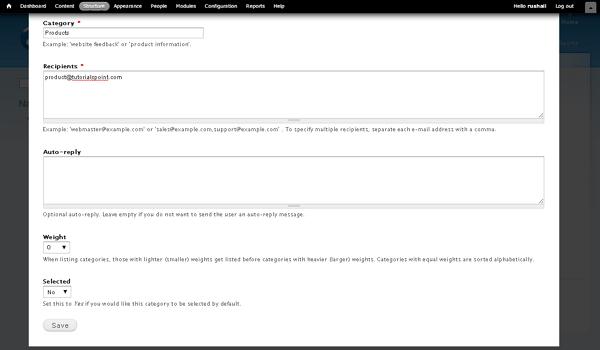
It contains the following fields.
-
Category − Specify the name of the category for feedback form.
-
Recipients − Specify the e-mail address where you wish to receive mails.
-
Auto-reply − Sends the automatic reply message to the user.
-
Weight − Sets the list in order.
-
Selected − Selecting Yes option, it sets the category as default.
After filling all information about the contact, click the Save button to save your contact form information.
Step 6 − You can see the created contact form in the list as shown in the following screen. To view the contact form, click Contact form tab.
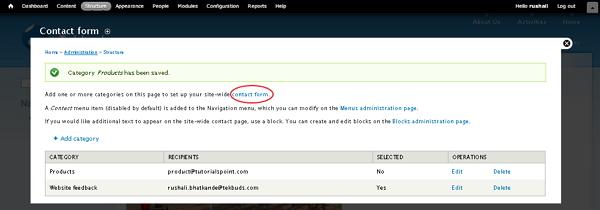
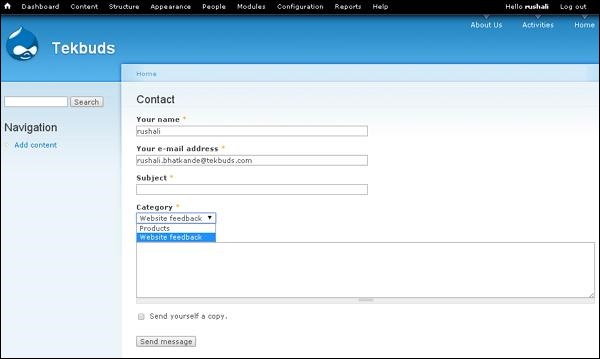
Step 7 − The category which you have added will get displayed in the category field as shown in the following screen.
The End! should you have any inquiries, we encourage you to reach out to the Vercaa Support Center without hesitation.
