In this chapter, we'll study how to generate invoice in Drupal. Invoice is a document with a statement of amount and cost, unique invoice number and tax information.
Following are the steps to generate invoice in Drupal.
Step 1 − Download the latest file of Invoice module and install in your Drupal site.
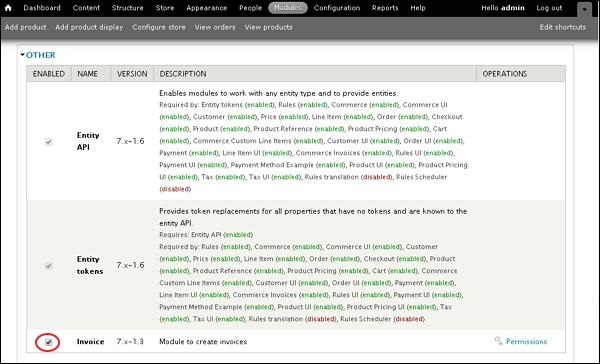
Step 2 − Enable the Invoice in Modules and click Save configuration.
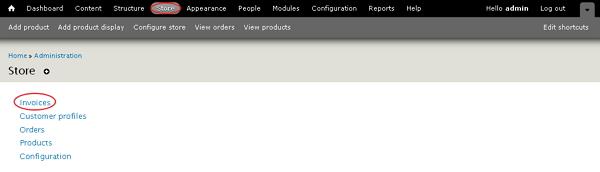
Step 3 − Go to Store --> Invoices.
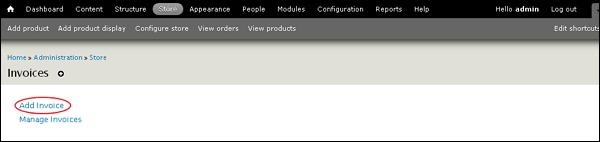
Step 4 − Click Add Invoice.
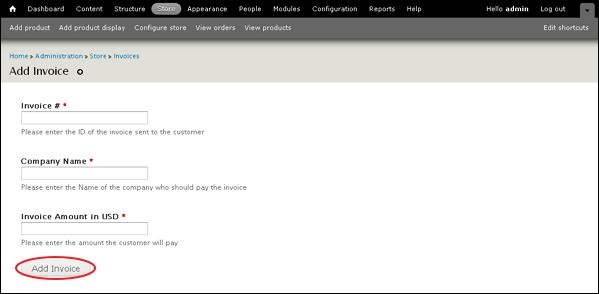
Step 5 − You can view the Add Invoice page.
-
Invoice # − Enter the invoice id number sent to the customer.
-
Company Name − Enter the company name who should pay the invoice.
-
Invoice Amount in USD − Enter the amount that customer has to pay.
After filling the invoice details, click Add Invoice.
Step 6 − Go to Store --> Invoice --> Manage Invoices. Here, you can view your pending and paid invoices.
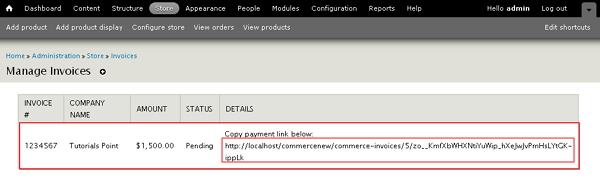
Copy the link given in the detail column and it'll redirect you to the checkout page.
Step 7 − You can also pay by navigating to the given link localhost<Your Site Name>user/invoices/pay, it'll redirect you to Pay Invoice page as shown in the following screen.
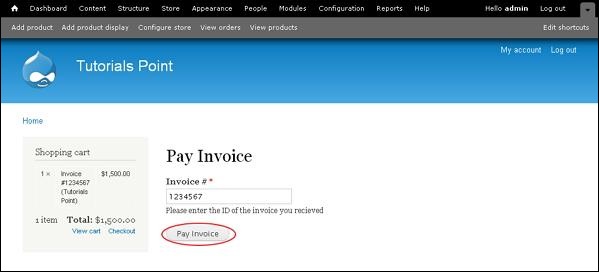
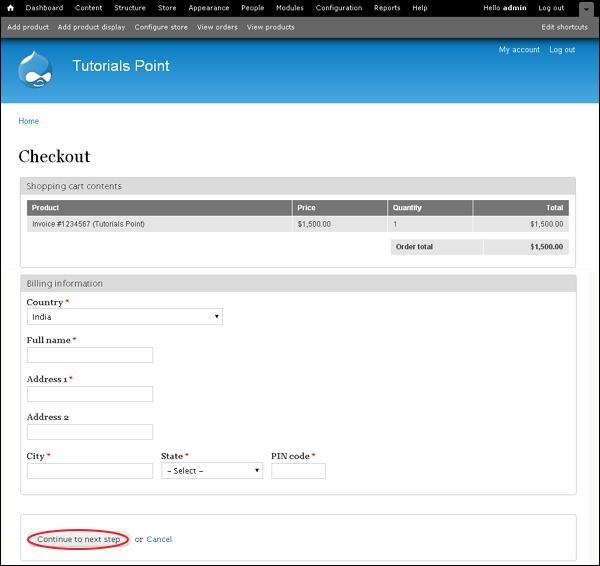
Here, you have to enter the invoice number and click Pay Invoice button. It will then redirect you to the Checkout page as shown in the following screen. You can enter the information for billing and click Continue to next step button.
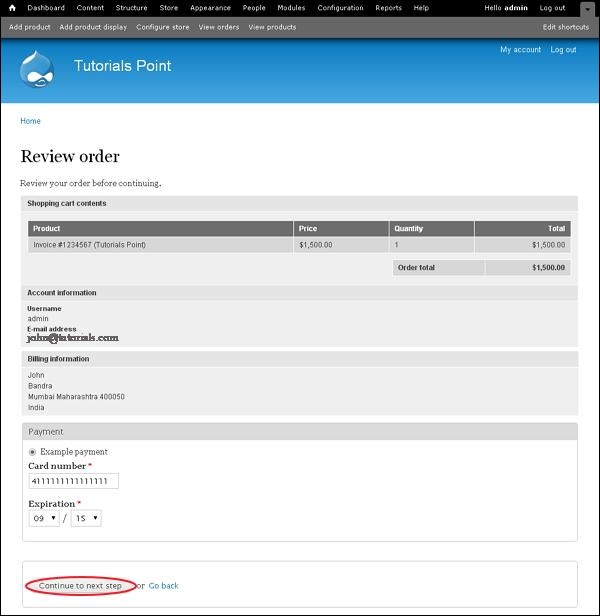
Step 8 − You can review the product information and also the invoice number and company name. Click on Continue to next step button.
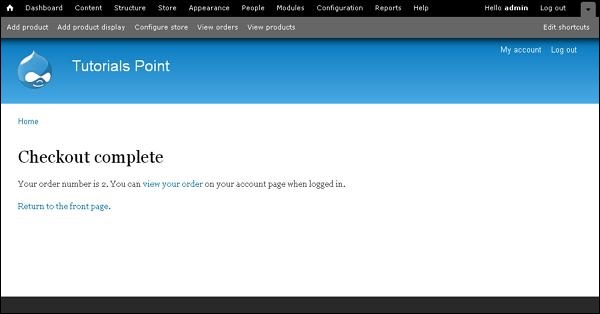
Step 9 − A final message will get displayed as Checkout complete as shown in the following screen.
The End! should you have any inquiries, we encourage you to reach out to the Vercaa Support Center without hesitation.
